DragDropToClipboard v1.0.4
Freeware
Vista / Win10 / Win7 / Win8 / WinXP
Vista / Win10 / Win7 / Win8 / WinXP
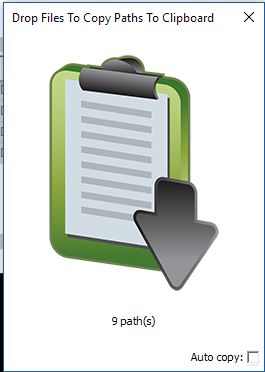
DragDropToClipboard will copy the full path and filenames of any files you drop into it to the Windows clipboard.
Key Features:
Key Features:
- Drag/drop selected files in Explorer to the DragDropToClipboard window and the full paths of the files will be copied to the clipboard as Unicode text.
- You can also copy paths by right-clicking file selections in Explorer and selecting Copy (or use Ctrl+C keyboard shortcut) and then left-clicking the DragDropToClipboard window.
- An "auto copy" mode whereby paths are automatically copied to the clipboard when files are copied to the clipboard in Explorer (no extra dragging or clicking required).
- regex string replacement on each path
- Information messages displaying how many file paths have been copied.
Screenshots:
HTML code for linking to this page:
Keywords:
dragdroptoclipboard
windows clipboard
copy
path
filename
License type
Freeware1
Author's homepage
Visit the author's site
Date added
14 Feb 2018
Downloads
119
File size
462 kB
(<1min @ 1Mbps)
Supported languages
English
Operating systems
Vista / Win10 / Win7 / Win8 / WinXP1
1License and operating system information is based on latest version of the software.
(No user ratings yet)