
Save Clipboard Here (portable) v1.0
Freeware
Vista / Win7 / Win8 / WinXP
Vista / Win7 / Win8 / WinXP
Save Clipboard Here is a tool that lets you load and save the content of the clipboard directly from/to a file using the Windows context menu in Explorer.
Key Features:
NOTE: This is the portable version of the tool that requires no installation.
Key Features:
- Does not stay resident and, thus, consumes no memory and no CPU power.
- Supports images, html and text clipboard content.
- Supported image formats are bmp, jpeg, gif, tiff, png, ico and cur.
- Html content can be saved either as html or as simple text.
- Very handy for image conversions which can be as simple as: right-click->copy to clipboard, right click->save clipboard here.
- Quicly save text fractions or images that you find while surfing the internet.
- Easily save screenshots of your desktop/programs, without the need to use an image editing program.
- Easily insert saved images or other content from the disk to a word processor, image editor, etc.
NOTE: This is the portable version of the tool that requires no installation.
Screenshots:
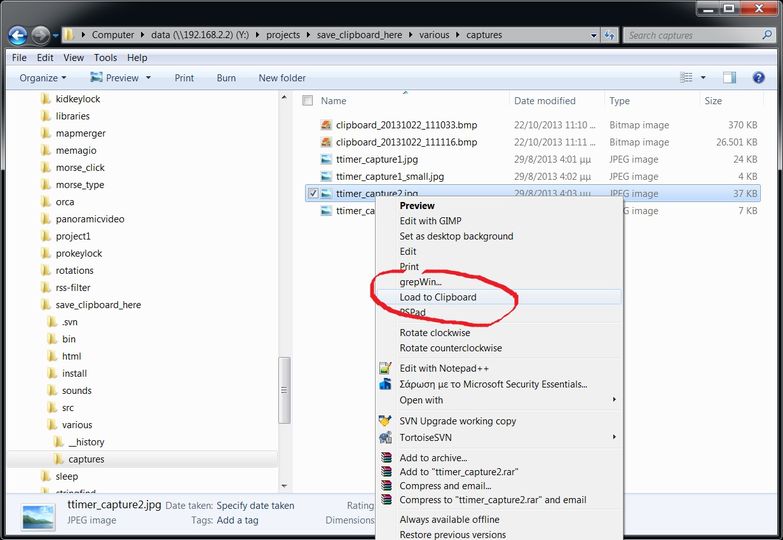
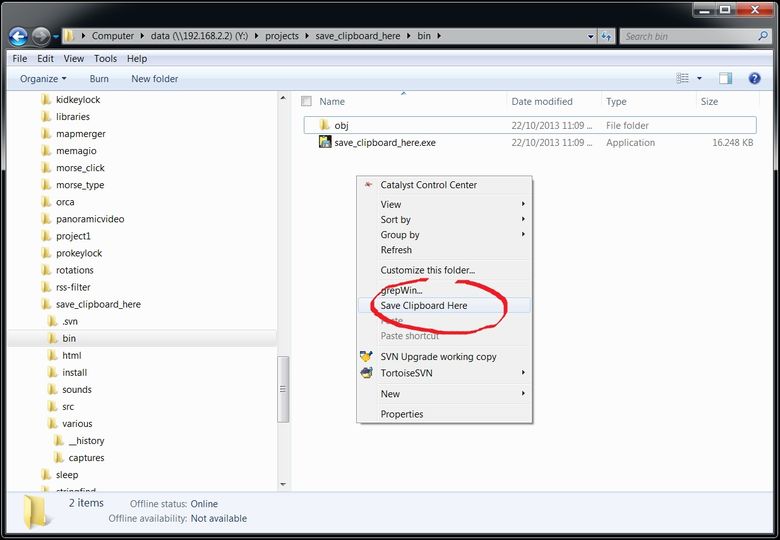
Other editions:
HTML code for linking to this page:
Keywords:
save clipboard here
copy
paste
load
right click
portable
License type
Freeware1
Author's homepage
Visit the author's site
Date added
13 Feb 2015
Downloads
386
File size
658.74 kB
(<1min @ 1Mbps)
Supported languages
English
Operating systems
Vista / Win7 / Win8 / WinXP1
1License and operating system information is based on latest version of the software.
(No user ratings yet)

