
Ribbon Icons Customizer v1.0
Freeware
Win8
Win8
Ribbon Icons Customizer can change the icons on the Windows 8 explorer window.
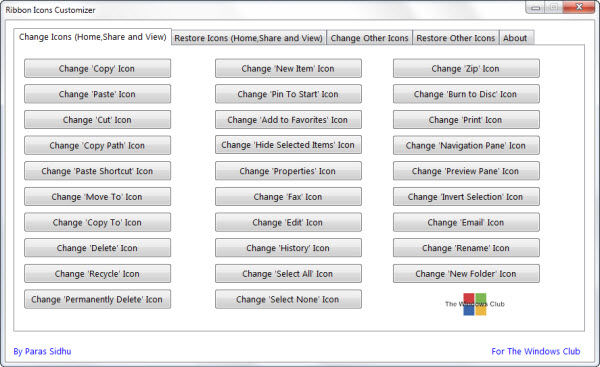
It changes the ribbon icons to something else you would prefer, so for example you can change the copy icon, the paste icon, cut icon, edit icon and so on. You can customize the view of the ribbons on Windows 8 explorer.
To use the Ribbon Icons Customizer, click on the desired button and browse to the the icon on your computer, that you want to replace it with. In the first tab, you can click the respective button of icon which you want to change.
It changes the ribbon icons to something else you would prefer, so for example you can change the copy icon, the paste icon, cut icon, edit icon and so on. You can customize the view of the ribbons on Windows 8 explorer.
To use the Ribbon Icons Customizer, click on the desired button and browse to the the icon on your computer, that you want to replace it with. In the first tab, you can click the respective button of icon which you want to change.
Screenshots:
HTML code for linking to this page:
Keywords:
ribbon icons customizer
windows 8
icons
License type
Freeware1
Author's homepage
Visit the author's site
Date added
09 Dec 2015
Downloads
221
File size
81.60 kB
(<1min @ 1Mbps)
Supported languages
English
Operating systems
Win81
1License and operating system information is based on latest version of the software.
(No user ratings yet)

