Two Pilots PDF Maker Pilot (64-bit) (demo) v2.1.282
Commercial demo
Vista / Win2k / Win7 / WinXP
Vista / Win2k / Win7 / WinXP
PDF Maker Pilot is specially designed for making PDF documents and fillable PDF forms that can be filled out using free Adobe Reader.
How to make PDF forms:
1. Create a new blank page or get the image of an existing form (PDF, HTML, DOC, XLS, TXT, etc.) in the PDF Maker Pilot program window to use it as a background for a new form.
2. Add tables, pictures, text labels, fillable fields, checkboxes, and draw graphic objects and arrange the newly-added objects on the pages of your form.
3. Click File | Save as PDF Document.
Now you can open the generated PDF form using the free Adobe Reader or Adobe Acrobat and fill text fields, check checkboxes, and print it.
It is possible to create online fillable PDF forms with PDF Maker Pilot.
How to make PDF forms:
1. Create a new blank page or get the image of an existing form (PDF, HTML, DOC, XLS, TXT, etc.) in the PDF Maker Pilot program window to use it as a background for a new form.
2. Add tables, pictures, text labels, fillable fields, checkboxes, and draw graphic objects and arrange the newly-added objects on the pages of your form.
3. Click File | Save as PDF Document.
Now you can open the generated PDF form using the free Adobe Reader or Adobe Acrobat and fill text fields, check checkboxes, and print it.
It is possible to create online fillable PDF forms with PDF Maker Pilot.
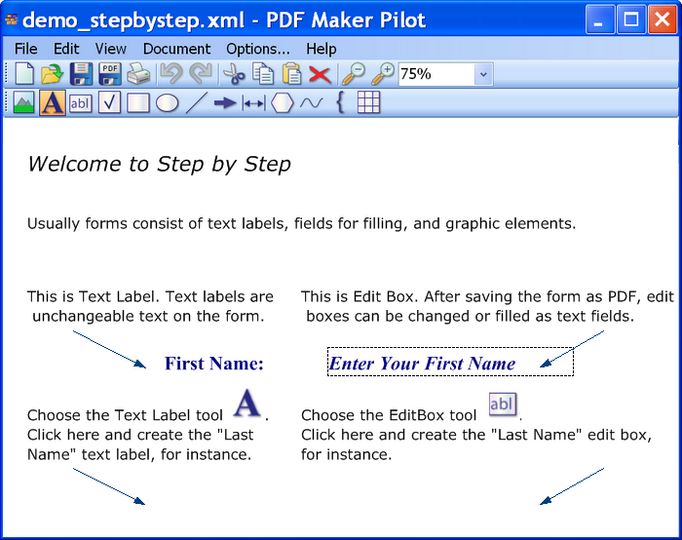
Screenshots:
Other editions:
HTML code for linking to this page:
Keywords:
pdf
maker
pilot
create
form
document
adobe
License type
Commercial demo1
Author's homepage
Visit the author's site
Date added
31 Mar 2010
Downloads
945
File size
3.66 MB
(<1min @ 1Mbps)
Operating systems
Vista / Win2k / Win7 / WinXP1
1License and operating system information is based on latest version of the software.
(No user ratings yet)