
Symantec Trojan.Brisv.A!inf Removal Tool v2.1.0.8
Freeware
Vista / Win2k / WinXP
Vista / Win2k / WinXP
This is a freeware virus/Trojan removal tool from Symantec that specifically targets infections of Trojan.Brisv.A!Inf.
You must run this tool in Safe Mode.
To boot into Windows in Safe Mode, keep tapping the F8 key while booting (particularly after you have seen the BIOS/POST screens and before the Windows logo usually appears) and choose Safe Mode from the list of options.
You just run this tool with Administrative privileges. In Windows Vista, this means that you will need to right click on the removal tool and click Run as administrator. In Windows XP, simply run it using an account with Administrative privileges.
If running Windows XP, it is also recommended to disable System Restore before running the removal tool.
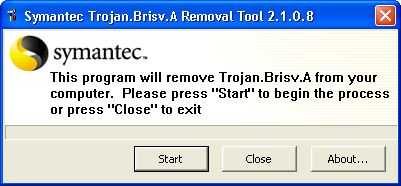
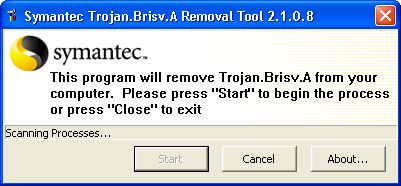
This program will terminate any infected process, delete any associated files on the HDD related to it, and will clean any suspicious registry entries associated with it.
You must run this tool in Safe Mode.
To boot into Windows in Safe Mode, keep tapping the F8 key while booting (particularly after you have seen the BIOS/POST screens and before the Windows logo usually appears) and choose Safe Mode from the list of options.
You just run this tool with Administrative privileges. In Windows Vista, this means that you will need to right click on the removal tool and click Run as administrator. In Windows XP, simply run it using an account with Administrative privileges.
If running Windows XP, it is also recommended to disable System Restore before running the removal tool.
This program will terminate any infected process, delete any associated files on the HDD related to it, and will clean any suspicious registry entries associated with it.
Screenshots:
HTML code for linking to this page:
Keywords:
symantec
trojan.brisv.a!inf
removal
tool
License type
Freeware1
Author's homepage
Visit the author's site
Date added
11 Jan 2011
Downloads
525
File size
432.02 kB
(<1min @ 1Mbps)
Operating systems
Vista / Win2k / WinXP1
1License and operating system information is based on latest version of the software.
(No user ratings yet)

