VSUsbLogon (64-bit) v1.13.3
Freeware
Vista / Win7 / Win8
Vista / Win7 / Win8
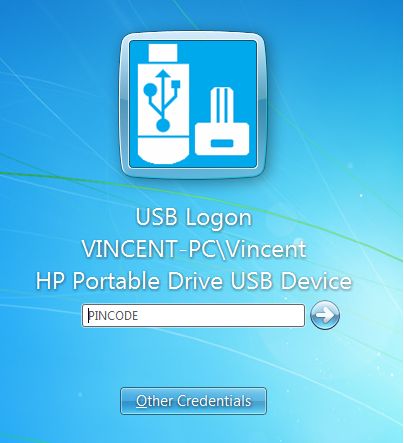
VSUsbLogon allows to login Windows in a secure way via USB device, replacing the password based Windows login. You don’t need to remember and type your Windows password (but your system is still password protected). Users can be automatically logged into Windows as they insert the USB flash drive into the USB port. VSUsbLogon allows you to use PIN code to login Windows when USB device has been connected.
VSUsbLogon supports USB HDD, USB flash drives and other USB devices like iPod, iPhone, Samsung Galaxy ....
All user data are encrypted via AES 256 algorithm. And all user data are encrypted with using unique encryption key.
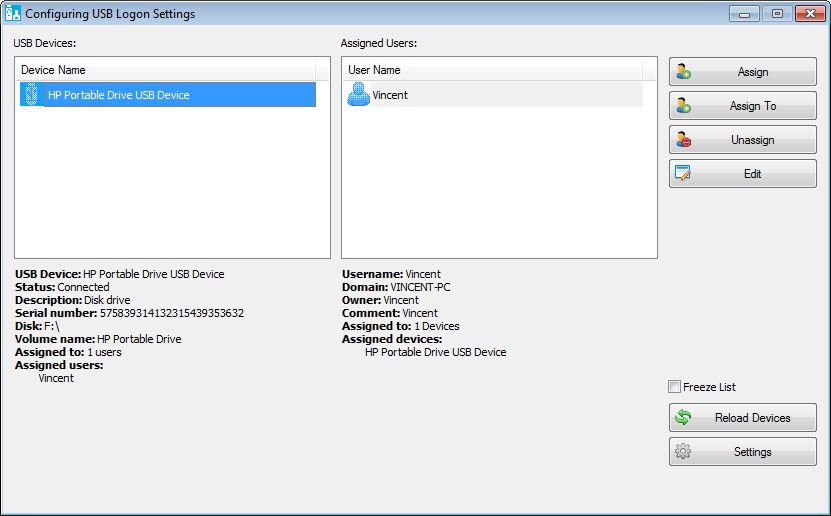
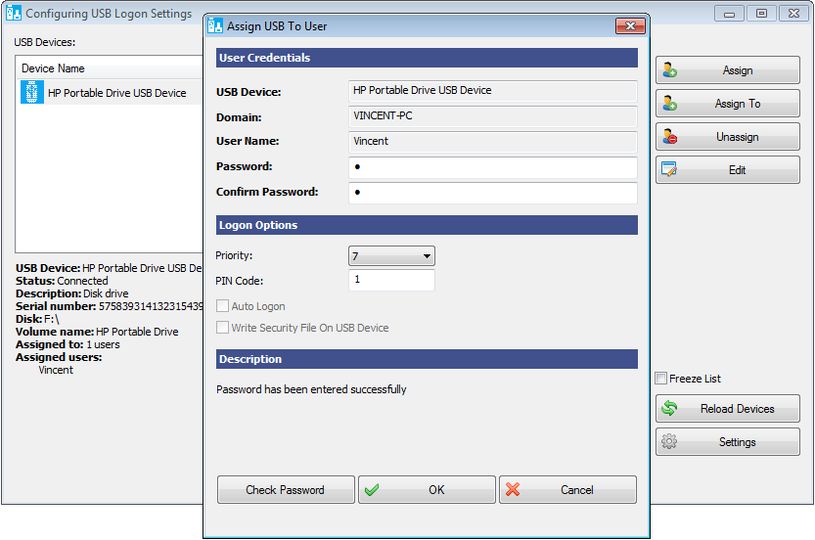
To configure logon procedure (after VSUsbLogon installation) please run the "VSUsbLogon" application (VSUsbLogonMgr.exe), connect your USB device to PC, select USB device, press "Assign" button on the window of "VSUsbLogon" application and fill the fields on the "Assign USB To User" window.
VSUsbLogon supports USB HDD, USB flash drives and other USB devices like iPod, iPhone, Samsung Galaxy ....
All user data are encrypted via AES 256 algorithm. And all user data are encrypted with using unique encryption key.
To configure logon procedure (after VSUsbLogon installation) please run the "VSUsbLogon" application (VSUsbLogonMgr.exe), connect your USB device to PC, select USB device, press "Assign" button on the window of "VSUsbLogon" application and fill the fields on the "Assign USB To User" window.
Screenshots:
Other editions:
HTML code for linking to this page:
Keywords:
vsusblogon
login
windows
secure
usb
device
aes 256
License type
Freeware1
Author's homepage
Visit the author's site
Date added
03 Mar 2015
Downloads
1,976
File size
3.54 MB
(<1min @ 1Mbps)
Supported languages
English
Operating systems
Vista / Win7 / Win81
1License and operating system information is based on latest version of the software.
VSUsbLogon (64-bit) v1.13.3(Latest stable version) 03 Mar 2015
VSUsbLogon (64-bit) v1.12.3 17 Jan 2015
VSUsbLogon (64-bit) v1.11.3 20 Nov 2014
VSUsbLogon (64-bit) v1.10.3 09 Nov 2014
VSUsbLogon (64-bit) v1.9.3 29 Apr 2014
VSUsbLogon (64-bit) v1.7.3 06 Mar 2014
VSUsbLogon (64-bit) v1.6.3 16 Oct 2013
VSUsbLogon (64-bit) v1.5.3 09 Oct 2013
VSUsbLogon (64-bit) v1.3.3 01 Dec 2012
VSUsbLogon (64-bit) v1.2.3 25 Nov 2012
(No user ratings yet)