Avast Software Uninstall Utility (aswClear) v7.0
Freeware
Vista / Win7 / Win8 / WinXP
Vista / Win7 / Win8 / WinXP
Sometimes it´s not possible to uninstall avast! the standard way - using the ADD/REMOVE PROGRAMS in control panel. In this case, you can use our uninstallation utility aswClear.
How to uninstall our software using aswClear:
1. Download aswclear.exe on your desktop
2. Start Windows in Safe Mode
3. Open (execute) the uninstall utility
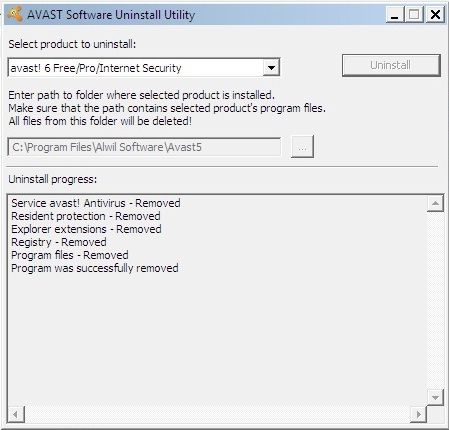
4. If you installed avast! in a different folder than the default, browse for it. (Note: Be careful! The content of any folder you choose will be deleted!)
5. Click REMOVE
6. Restart your computer
How to uninstall our software using aswClear:
1. Download aswclear.exe on your desktop
2. Start Windows in Safe Mode
3. Open (execute) the uninstall utility
4. If you installed avast! in a different folder than the default, browse for it. (Note: Be careful! The content of any folder you choose will be deleted!)
5. Click REMOVE
6. Restart your computer
Screenshots:
HTML code for linking to this page:
Keywords:
avast
software
uninstall
utility
aswclear
License type
Freeware1
Author's homepage
Visit the author's site
Date added
12 Feb 2013
Downloads
741
File size
318.50 kB
(<1min @ 1Mbps)
Supported languages
English
Operating systems
Vista / Win7 / Win8 / WinXP1
1License and operating system information is based on latest version of the software.
(No user ratings yet)