
CPU-Z (32-bit and 64-bit) v1.44.2
Freeware
Vista / Win10 / Win2k / Win7 / Win8 / Win98 / WinME / WinNT / WinXP
Vista / Win10 / Win2k / Win7 / Win8 / Win98 / WinME / WinNT / WinXP
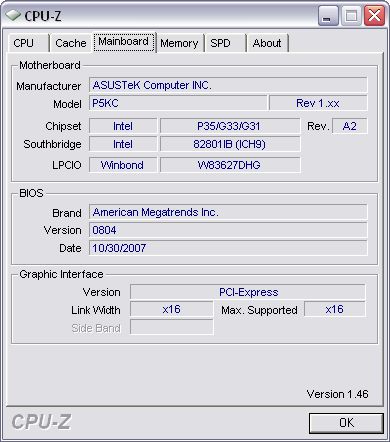
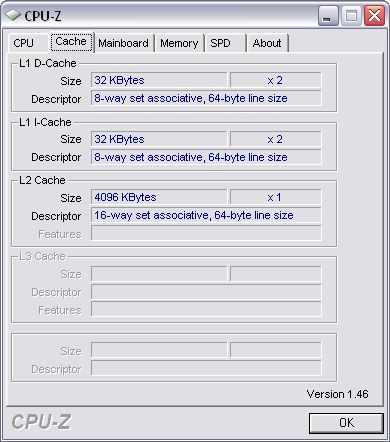
CPU-Z is a freeware tool that gathers information on some of the main devices of your system. It can gather lots of different information from various different sources like CPU's, mainboards, memory and system.
CPU-Z does not need to be installed. Just unzip the files in a directory and run the .exe. In order to remove the program, just delete the files, and that's it.
CPU-Z does not need to be installed. Just unzip the files in a directory and run the .exe. In order to remove the program, just delete the files, and that's it.
Screenshots:
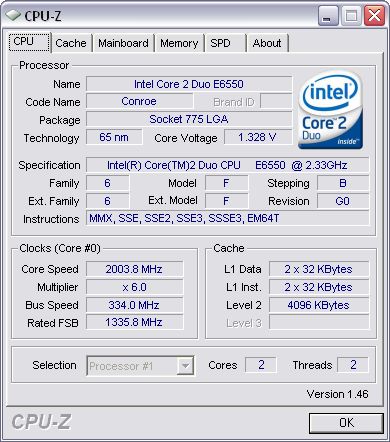
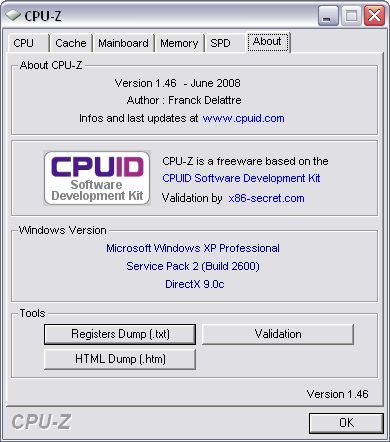
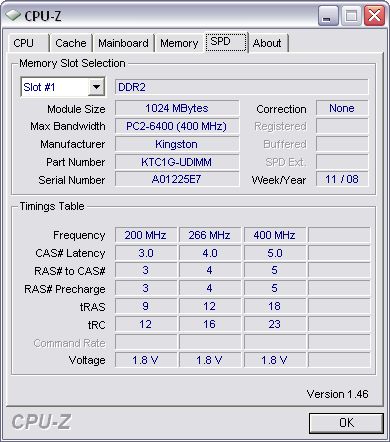
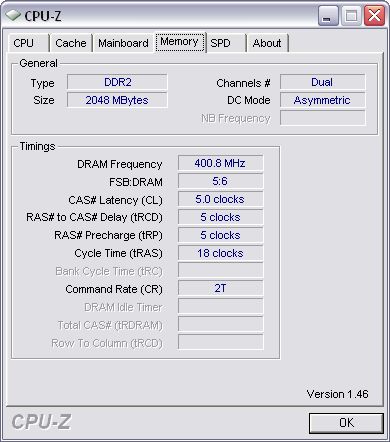
Other editions:
HTML code for linking to this page:
Keywords:
cpu-z
cpu
mainboard
memory
system
gather
information
License type
Freeware1
Author's homepage
Visit the author's site
Date added
28 Aug 2019
Downloads
48,835
File size
515.28 kB
(<1min @ 1Mbps)
Operating systems
Vista / Win10 / Win2k / Win7 / Win8 / Win98 / WinME / WinNT / WinXP1
1License and operating system information is based on latest version of the software.
28 Aug 2019CPU-Z (32-bit and 64-bit) v1.90(Latest stable version)
30 Mar 2019CPU-Z (32-bit and 64-bit) v1.88
14 Nov 2018CPU-Z (32-bit and 64-bit) v1.87
12 Aug 2018CPU-Z (32-bit and 64-bit) v1.86
08 May 2018CPU-Z (32-bit and 64-bit) v1.85
02 Apr 2018CPU-Z (32-bit and 64-bit) v1.84
31 Jan 2018CPU-Z (32-bit and 64-bit) v1.83
04 Dec 2017CPU-Z (32-bit and 64-bit) v1.82
09 Sep 2017CPU-Z (32-bit and 64-bit) v1.80.2
11 Jul 2017CPU-Z (32-bit and 64-bit) v1.80
01 Jun 2017CPU-Z (32-bit and 64-bit) v1.79.1
21 Apr 2017CPU-Z (32-bit and 64-bit) v1.79
18 Feb 2017CPU-Z (32-bit and 64-bit) v1.78.3
27 Nov 2016CPU-Z (32-bit and 64-bit) v1.78
25 Apr 2016CPU-Z (32-bit and 64-bit) v1.76
23 Jan 2016CPU-Z (32-bit and 64-bit) v1.75
18 Oct 2015CPU-Z (32-bit and 64-bit) v1.74
02 Mar 2015CPU-Z (32-bit and 64-bit) v1.72
20 Nov 2014CPU-Z (32-bit and 64-bit) v1.71.1
09 Oct 2014CPU-Z (32-bit and 64-bit) v1.71
18 Jul 2014CPU-Z (32-bit and 64-bit) v1.70
26 Apr 2014CPU-Z (32-bit and 64-bit) v1.69.2
19 Mar 2014CPU-Z (32-bit and 64-bit) v1.69
09 Jan 2014CPU-Z (32-bit and 64-bit) v1.68
14 Nov 2013CPU-Z (32-bit and 64-bit) v1.67.1
12 Oct 2013CPU-Z (32-bit and 64-bit) v1.67
24 Aug 2013CPU-Z (32-bit and 64-bit) v1.66.1
19 Aug 2013CPU-Z (32-bit and 64-bit) v1.66
29 Jun 2013CPU-Z (32-bit and 64-bit) v1.65
24 Apr 2013CPU-Z (32-bit and 64-bit) v1.64
09 Feb 2013CPU-Z (32-bit and 64-bit) v1.63
08 Nov 2012CPU-Z (32-bit and 64-bit) v1.62
03 Jul 2012CPU-Z (32-bit and 64-bit) v1.61
24 Apr 2012CPU-Z (32-bit and 64-bit) v1.60.1
03 Mar 2012CPU-Z (32-bit and 64-bit) v1.60
24 Nov 2011CPU-Z (32-bit and 64-bit) v1.59
27 Jun 2011CPU-Z (32-bit and 64-bit) v1.58
13 Apr 2011CPU-Z (32-bit and 64-bit) v1.57.1
19 Feb 2011CPU-Z (32-bit and 64-bit) v1.57
27 Oct 2010CPU-Z (32-bit and 64-bit) v1.56
10 Jul 2010CPU-Z (32-bit and 64-bit) v1.55
25 Mar 2010CPU-Z (32-bit and 64-bit) v1.54
21 Dec 2009CPU-Z (32-bit and 64-bit) v1.53
21 Jul 2009CPU-Z (32-bit and 64-bit) v1.52
29 Apr 2009CPU-Z (32-bit and 64-bit) v1.51
14 Feb 2009CPU-Z (32-bit and 64-bit) v1.50
05 Dec 2008CPU-Z (32-bit and 64-bit) v1.49
16 Oct 2008CPU-Z (32-bit and 64-bit) v1.48
31 Aug 2008CPU-Z (32-bit and 64-bit) v1.47
29 Jun 2008CPU-Z (32-bit and 64-bit) v1.46
10 May 2008CPU-Z (32-bit and 64-bit) v1.45
31 Mar 2008CPU-Z (32-bit and 64-bit) v1.44.2
18 Feb 2008CPU-Z (32-bit and 64-bit) v1.44.1
08 Feb 2008CPU-Z (32-bit and 64-bit) v1.44
06 Jan 2008CPU-Z (32-bit and 64-bit) v1.43
24 Nov 2007CPU-Z (32-bit and 64-bit) v1.42
07 Sep 2007CPU-Z (32-bit and 64-bit) v1.41
07 Jul 2007CPU-Z (32-bit and 64-bit) v1.40.5
02 May 2007CPU-Z (32-bit and 64-bit) v1.40
14 Feb 2007CPU-Z (32-bit and 64-bit) v1.39
22 Nov 2006CPU-Z (32-bit and 64-bit) v1.38
02 Oct 2006CPU-Z (32-bit and 64-bit) v1.37


Its now gone backwards to manually unzipping to a folder of choice! I just overwrote the newer files, retaining the uninstall.exe file!