
PerfWatch (64-bit) v2.12
Freeware
Vista / Win7 / WinXP
Vista / Win7 / WinXP
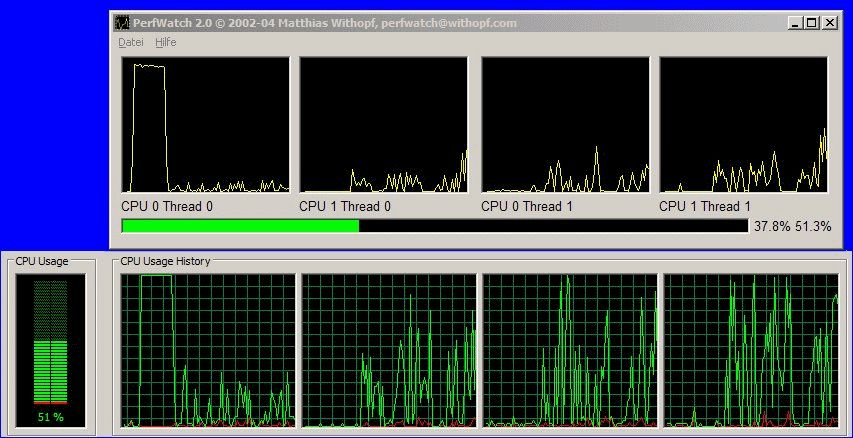
PerfWatch is a small visually-driven application that shows graphical data about the usage of a systems central processing unit.
It is developed to work with Xeon / Pentium 4, Pentium III, Pentium M, Core, Core 2, Core i3/i5/i7, Atom and Athlon / Duron. The tool works up to the Windows 7 operating system, though it does require Admin privileges in order to get the processor data.
This version is intended for use with 64-bit operating systems. You can get a 32-bit version of PerfWatch here.
NOTE: Windows 64-bit operating systems, by default, require that all drivers be signed. In order to use PerfWatch with 64-bit Windows, you need to press F8 during boot (tap repeatedly from after the time the BIOS screen disappears and before the Windows logo appears) and disable driver signature enforcement.
It is developed to work with Xeon / Pentium 4, Pentium III, Pentium M, Core, Core 2, Core i3/i5/i7, Atom and Athlon / Duron. The tool works up to the Windows 7 operating system, though it does require Admin privileges in order to get the processor data.
This version is intended for use with 64-bit operating systems. You can get a 32-bit version of PerfWatch here.
NOTE: Windows 64-bit operating systems, by default, require that all drivers be signed. In order to use PerfWatch with 64-bit Windows, you need to press F8 during boot (tap repeatedly from after the time the BIOS screen disappears and before the Windows logo appears) and disable driver signature enforcement.
Screenshots:
Other editions:
HTML code for linking to this page:
Keywords:
perfwatch
performance
watch
intel
cpu
License type
Freeware1
Author's homepage
Visit the author's site
Date added
02 Feb 2012
Downloads
448
File size
200.28 kB
(<1min @ 1Mbps)
Supported languages
English
Operating systems
Vista / Win7 / WinXP1
1License and operating system information is based on latest version of the software.
(No user ratings yet)

